
Webinar: Preparing Your Print-Ready Files | 7-Point Checklist
A 7-point checklist to get your files right the first time
Book formatting, the seven things that matter from a printer’s point of view, the mistakes authors make most, and what printing actually takes in time and money.
Preparing print-ready files
Key takeaways
- Work to the quoted specifications: page count, page size, colours and features.
- Know your paper and finishes, since colours print brighter on coated paper than uncoated.
- Check image resolution at actual size and allow for bleed and type safety.
- Proofread before submitting, then review the physical proof carefully.
Read the full breakdown
Lori opens with book formatting, the step that decides whether a book looks bookstore-quality. A printer checks files for technical problems but does not format them, so you either learn the tools and standards yourself or hire a formatter. The session is frank that a professional is usually worth it for anyone new to print production.
Taylor then walks through the seven-point checklist: work to the quoted specifications; keep Pantone swatch books to hand when choosing colours; know which paper and finishes will be used; check graphics are at the right resolution at actual size; allow for bleed and type safety; understand the principles of layout design; and proofread. Along the way it explains RGB, CMYK and Pantone, and why a press-ready PDF exported from InDesign is the preferred format.
The last part covers the mistakes authors make most, the time and money involved, and MCRL’s printing timeline from quote approval to delivery, with examples of books MCRL has printed.
Common Questions
What are the seven points on the checklist?
What file format should I send my printer?
Should I design in RGB or CMYK?
Does the printer format my book?
More from “Webinars”
View All Videos →
From Manuscript to Market: The Complete Guide to Printing a Profitable Board Book
Watch →
Webinar: Ideas to Inspire Your Printed Planners and Journals
Watch →
Planner Biz Webinar: How to Print a Planner | 5-Step Framework
Watch →
Webinar: Print It! Expert Tips to Successfully Print Your Picture Book
Watch →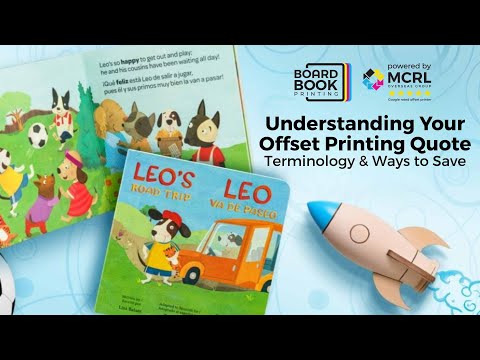
Webinar: Understanding Your Offset Printing Quote
Watch →Ready when you are
Tell us what you’re making and get one all-in quote - printing, finishing, and shipping in a single number.
Request a Quote